TypingKit for Mac
Your fingers, two milliseconds
from the page.
A browser paints the letter you type one or two frames after the key. A native Mac text view draws it inside the key press. We measured both, and then built the Mac app around the difference: whole books chapter by chapter, a library of passages, a typing test and your own EPUBs, with a typing area that keeps up with your hands.
Free. No ads. macOS 14.6 or later. Sign in to share your place with typingkit.com.
The measurement
Time from the key going down to the letter being drawn, on a Mac with a 60 Hz display, 500 keys at 75 words per minute on a real keyboard for the Mac app, and 600 keys through the browser's own input path for the web reader.
| TypingKit for Mac | typingkit.com in Chromium | |
|---|---|---|
| Key to drawn, median | 2.4 ms | 32 to 48 ms |
| 95th percentile | 4.1 ms | 40 to 56 ms |
| The app's own work per key | 0.5 ms | 2 ms |
The web reader's own work is two milliseconds; the rest is the browser waiting for its next animation frame and then for the compositor, which no page can skip. The Mac app's whole cost is the system delivering the key. The screen's own refresh is added to both. Turn on Settings › Readout in the app to see the number for every key on your own Mac. Where the time goes, in full.
Whole books, in sittings
The same seventeen novels as on the site, from Project Gutenberg: Pride and Prejudice, Moby-Dick, Alice, Sherlock Holmes, The Great Gatsby and twelve more. The clock only runs while your fingers move, so you can stop to read ahead or answer the door. Your place is kept to the letter, and a sixty-chapter novel becomes something you do over weeks.
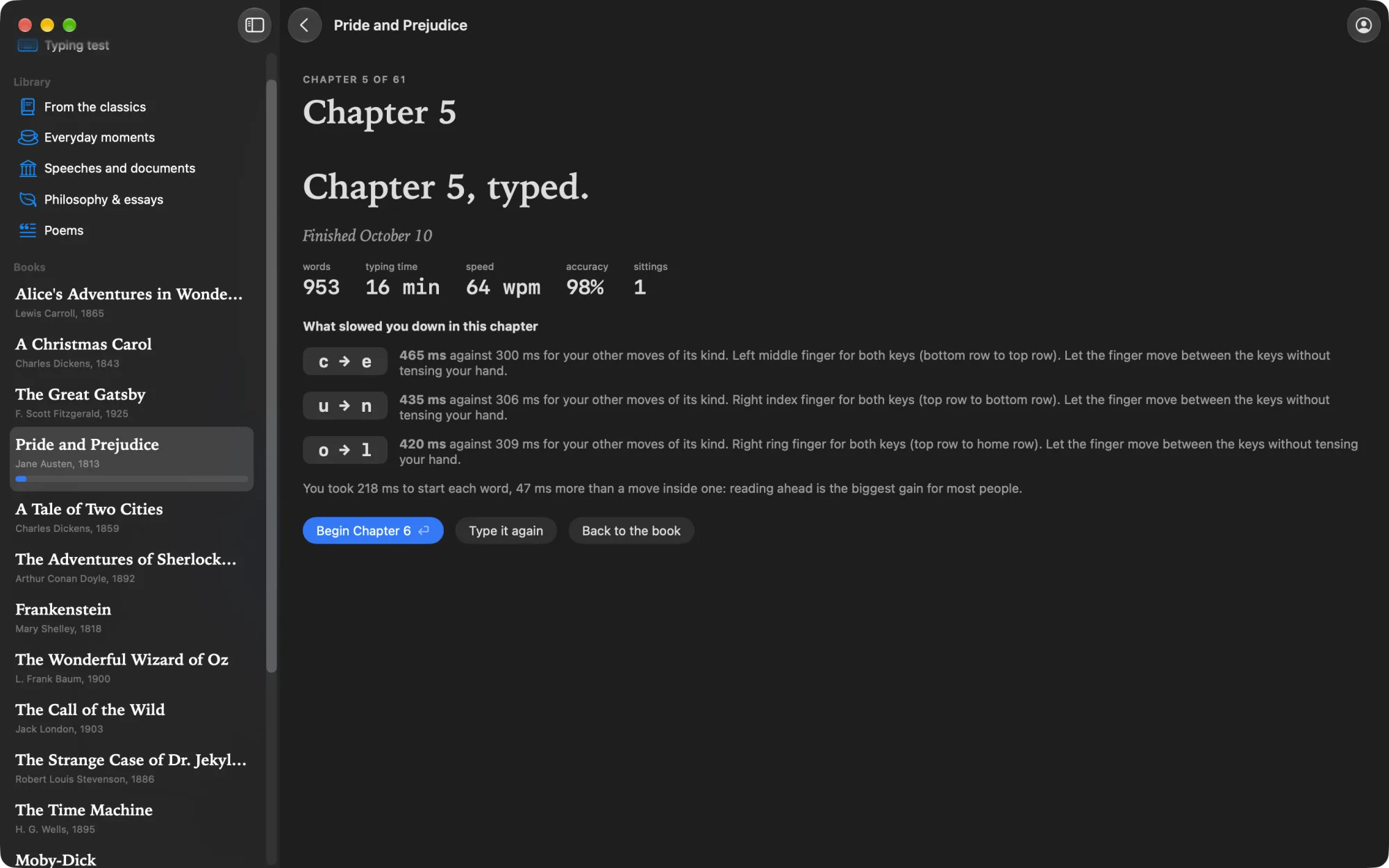
Every chapter ends with a review: words, typing time, speed, accuracy, and the moves between keys that slowed you down, measured against your own other moves of the same kind.
Passages, and the ghost of your best run
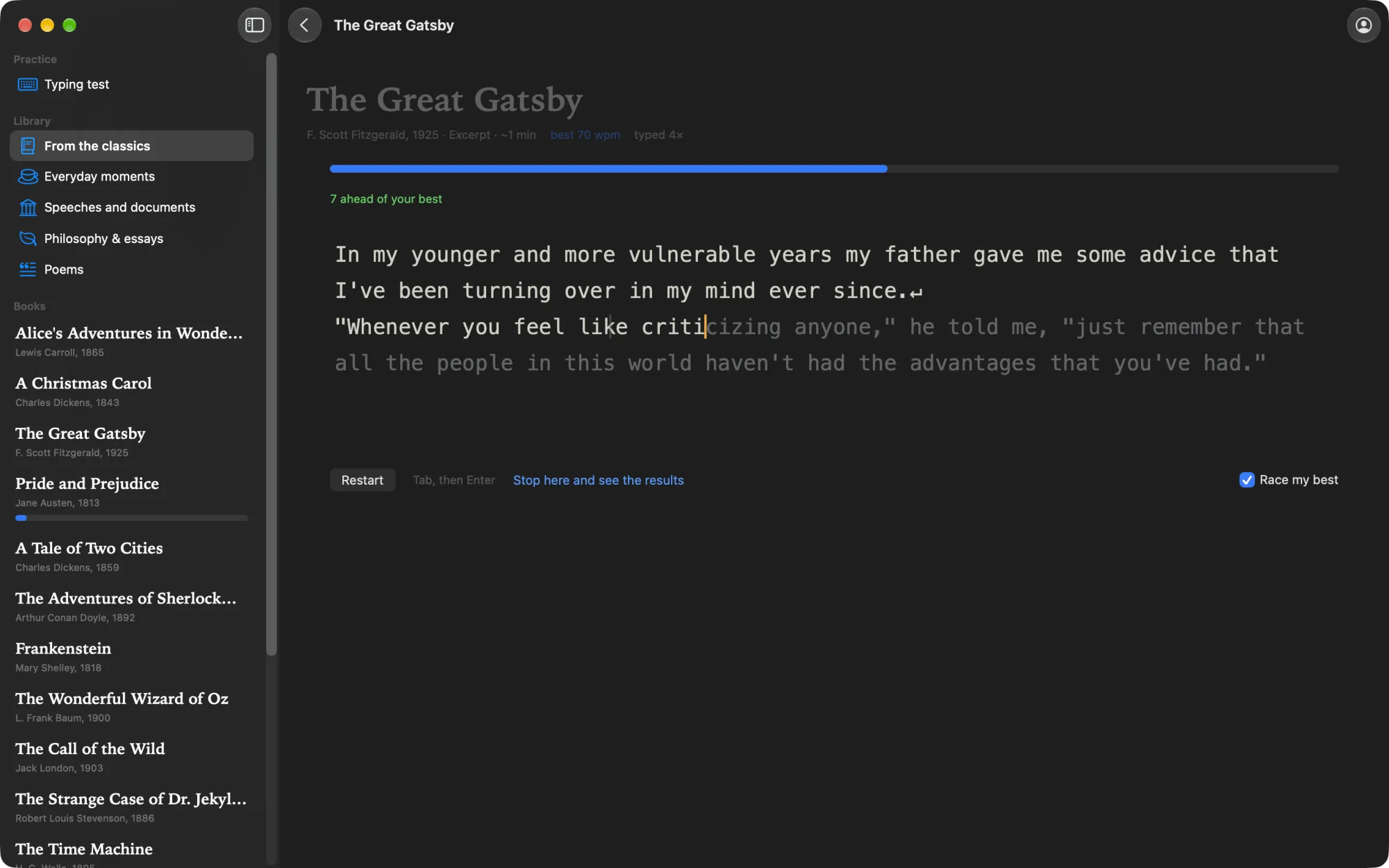
Famous openings, everyday moments, speeches, philosophy and poems, short enough to type again and again. Race the ghost of your best run, see how far ahead or behind you are as you go, and watch any recent run again, key by key.
A typing test
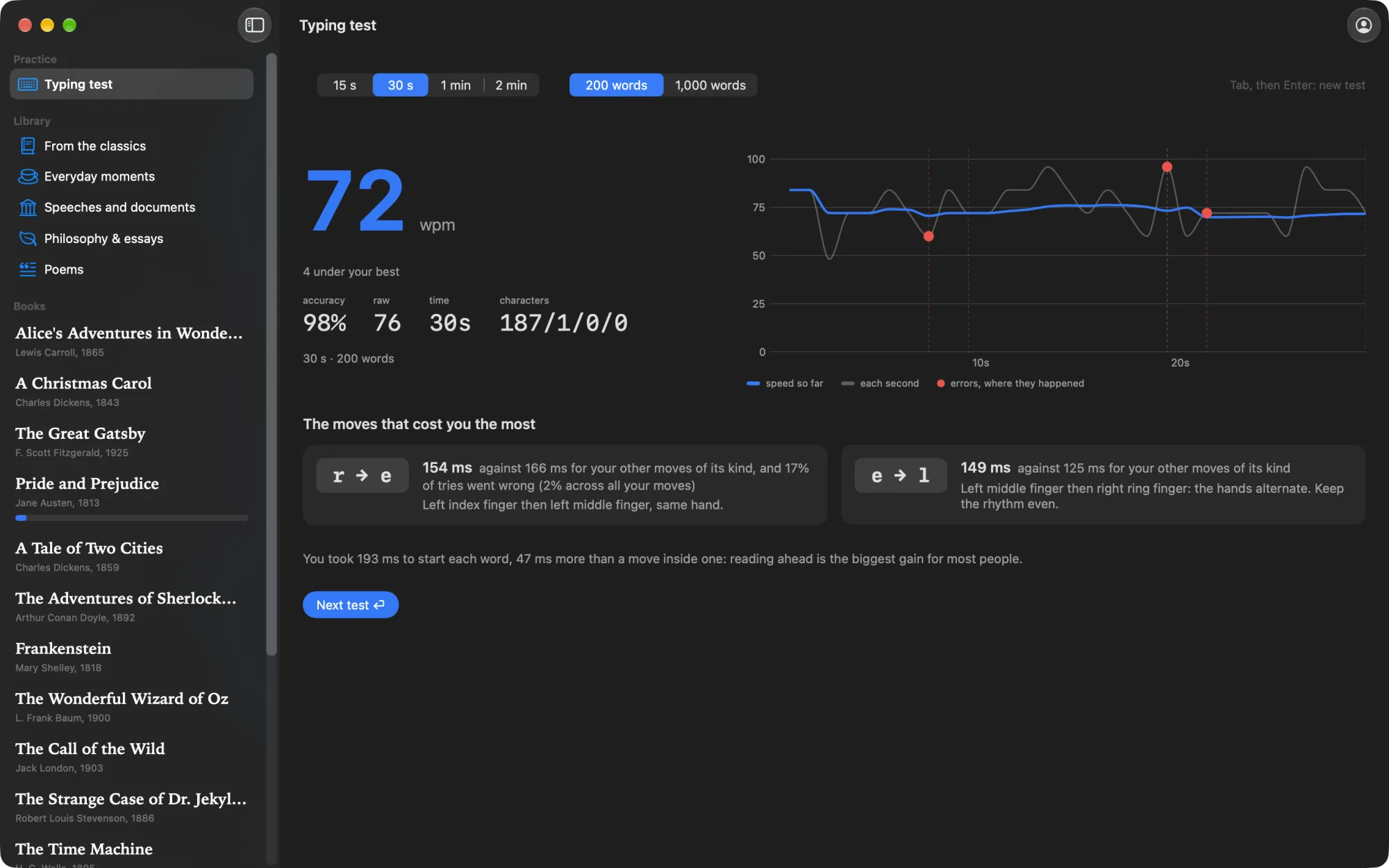
15 seconds to 2 minutes on the 200 or 1,000 most common English words, scored the way typing sites score it. The result draws your speed second by second, marks where the mistakes happened, and names the moves that cost you the most time.
Your own books
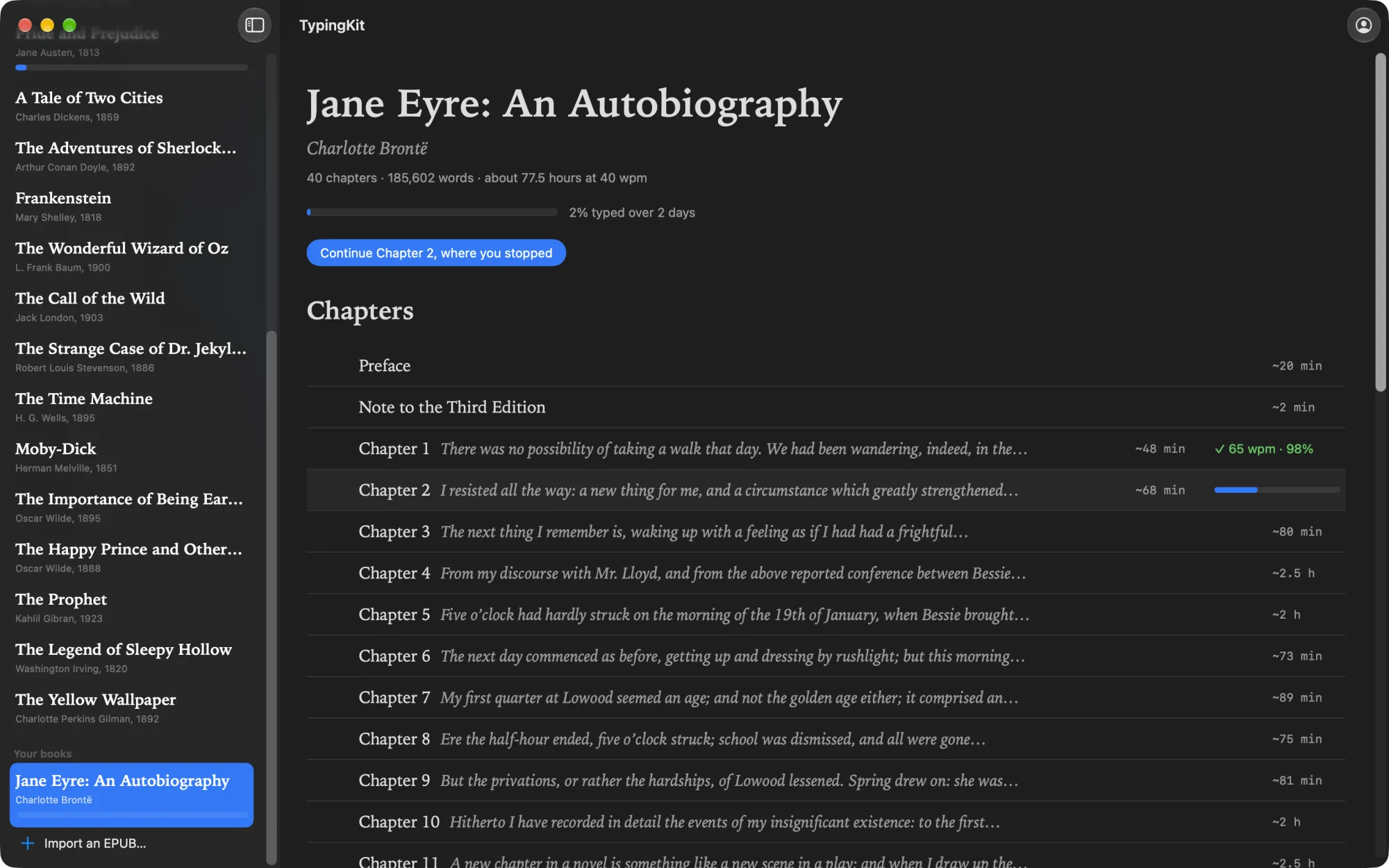
Import any EPUB without DRM and type it the same way, chapter by chapter, with your place kept and a review for every chapter. The text stays on your Mac; only your place travels with your account.
The same TypingKit
- Counted the honest way. Speed counts only words left entirely right; accuracy counts every key, a fixed mistake included. The same rules as the site, down to the code.
- One account, two places. Sign in with Apple, Google or GitHub and the Mac app and typingkit.com share your place in every book, your runs and your typing profile. Start a chapter at the desk, continue it in a browser anywhere.
- The caret you know. The same thin bar that glides to the next letter and blinks when you pause, the same eight lines with your line kept in the middle.
- Light or dark. A paper ground in light mode, the site's dark in dark mode, or whatever your Mac is set to.
Questions
- Does the site get slower, or worse, because of the app?
- No. The site is the same, and most people will not notice the frames. The app is for the typists who do, and for anyone who likes a window of its own on the desk.
- Is everything from the site in the app?
- The books, the library with the ghost and replays, and the typing test are. The practice drills and your own texts stay on the site for now.
- Do I need an account?
- No. The app keeps your place on the Mac. Sign in only when you want it on typingkit.com too.
- Which Macs does it run on?
- Any Mac with macOS 14.6 Sonoma or later, Apple silicon or Intel.